Data speeds are a touchy subject on pretty much every carrier worldwide. Sometimes the speeds are awesome, sometimes the speeds suck. Some are worse than others, some are better than others, but invariably there are customers of all of them who wish their speeds could be a little bitter.
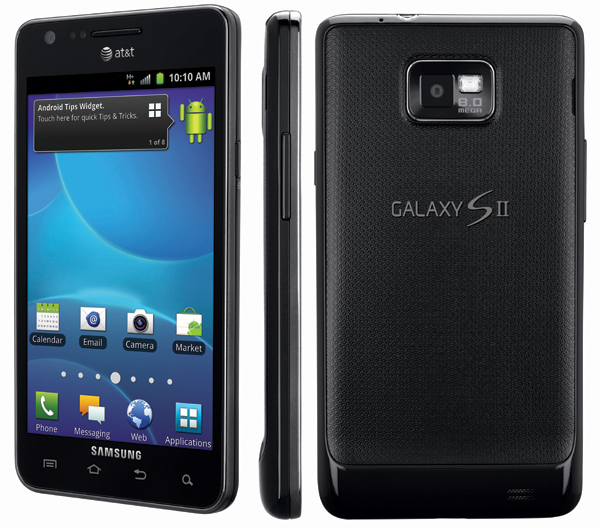
Well, for those carrying the AT&T Samsung Galaxy S II Skyrocket SGH-I727, your data woes may be a little closer to ending. XDA Senior Member kr3w1337 has posted that using a Telus modem could increase your data speeds. kr3w1337 explains:
Just wanted to share that using the Telus modem on the skyrocket leads to better speeds on HSPA for me. Reason being that the Telus modem has dual channel HSPA enabled so it should theoretically hit speeds of 42 mbps.
The method for flashing the modem is the same as flashing any other Samsung Galaxy S2 modem, so there’s no special tricks or difficult methods involved in the flashing process. Simply flash the modem and reboot. It’s only been tested by a few people, so kr3w1337 asks that if anyone does flash it to report to the thread to show their results.
If you’d like to give it a shot, you can find the download link to the modem and discussion in the Just wanted to share that using the Telus modem on the skyrocket leads to better speeds on HSPA for me. Reason being that the Telus modem has dual channel HSPA enabled so it should theoretically hit speeds of 42 mbps.
The modem can be found here. It is the Telus KJ3 modem.
This would work fine for both Rogers and AT&T users since Telus operates on the same frequencies. Share your experiences below if you try this please!. Be sure to find and download a stock modem so you can restore back to your regular modem if it doesn’t work.


No comments:
Post a Comment